
Habbo Collectibles Tutorial
Everything you need to know — from setting up your first wallet to minting Relics. Expand the sections relevant to where you are.
Tier 1Essentials — Get Started
Essentials — Get Started
Everything you need to start collecting. Complete these steps and your Collectibles will work in-game.
1. Installing MetaMask
- Go to metamask.io and click Download.
- Choose your browser (Chrome, Firefox, Brave) or mobile (iOS, Android).
- Install the extension and open it.
- Click “Create a new wallet” and set a strong password.
MetaMask will show you 12 words. This is the master key to your wallet. Write it down on paper. Store it somewhere physically safe. Never share it. Never store it digitally. Never type it into any website. Anyone with this phrase has permanent access to everything in your wallet.
2. Connect MetaMask to Habbo Collectibles
- Visit collectibles.habbo.com.
- Click “Connect Wallet” in the top right.
- A MetaMask popup appears — click Next, then Connect.
- Your wallet is now connected. You can see your balances in the top bar.
3. Link Your Wallet to Your Habbo Account
This step makes your Collectibles appear in-game inside Habbo. Without it, you own the items but can’t use them in-game.
- Log into your Habbo account at habbo.com.
- Click your avatar (top right) → Settings.
- Open the “Connect MetaMask Wallet” tab.
- Click Connect — MetaMask will ask you to sign a message. This is free (no ETH needed).
- Click Sign. Your wallet is now linked. It may take a few minutes for your items to appear in-game.
4. How In-Game Wallets Work
You have two wallets:
- Collector Wallet (in-game): A wallet Habbo creates automatically for your account. Stores items linked to your Habbo profile. Visible and usable directly in Habbo.
- MetaMask Wallet: Your personal wallet. Items here are truly yours — no one can take them. You can trade them on open marketplaces. Required to use collectibles.habbo.com fully.
For complex actions (trading on TokenTrove, selling, transferring), use MetaMask on the Collectibles website. Items in your Collector Wallet can be moved to MetaMask through the Transfer feature.
Tier 2Buying & Trading
Buying & Trading
How to acquire Collectibles and navigate the marketplace. Complete Tier 1 first.
5. Getting ETH and Bridging to Immutable
Most Habbo Collectibles on the IMX marketplace trade in ETH on the Immutable network — a gas-free Layer 2. You need to bridge ETH from Ethereum mainnet to Immutable to trade there.
Step 1: Buy ETH from a crypto exchange (Coinbase, Binance, Kraken). Send it to your MetaMask wallet address.
Step 2: Bridge to Immutable
- Go to Immutable Toolkit → Bridge.
- Connect your MetaMask wallet.
- Select: deposit ETH from Ethereum to Immutable.
- Enter the amount and approve in MetaMask. A small mainnet gas fee applies here only.
- Wait for confirmation. Your ETH is now on Immutable — all trades there are gas-free.
You can also use the Top up button in the Crypto dropdown in the shop top bar, or buy crypto directly on IMX with a card.
6. Buying from the Collectibles Shop (Emeralds)
The Collectibles Shop sells exclusive items for Emeralds 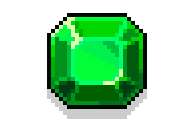 or Silver. New items drop every week — they’re available for a limited time, then gone forever.
- Open the Shop tab in your collection.
- Browse available items. Use filters: Item Category, Rarity, Collection type.
- Click an item to open its detail view. Check rarity and price.
- Click Purchase. Emeralds are deducted from your balance immediately.
- The item appears in your MetaMask wallet (or Collector Wallet if not using MetaMask).
7. Buying from TokenTrove (Secondary Market)
TokenTrove is the primary secondary marketplace for Habbo Collectibles on Immutable. You can buy and sell items that are no longer in the shop, including rare and limited editions.
- Go to tokentrove.com/collection/Habbo.
- Connect your MetaMask wallet.
- Browse or search for the item you want. Use filters for collection, rarity, price.
- Click an item listing and click Buy.
- Approve the transaction in MetaMask. No gas fees on Immutable.
You can also buy and sell directly in the Marketplace tab inside the Collectibles shop.
8. Buying Premium Collectibles (Ethereum L1)
Genesis Habbo Avatars, Crafted Avatars, Habbo Portraits, and Habbo X Rooms live on Ethereum mainnet. They’re traded on Blur.io and OpenSea — not on Immutable.
- Blur.io — Genesis Habbo Avatars
- OpenSea — Crafted Avatars
- Blur.io — Habbo Portraits
- Blur.io — Habbo X Rooms
These use mainnet ETH (not bridged IMX ETH). Gas fees apply. See the Avatars & Portraits and Rooms tabs in your collection for features each type provides.
9. Emeralds — The Shop Currency
Emeralds are the currency used to buy from the Collectibles Shop. Your balance is shown in the top bar when your wallet is connected.
How to get Emeralds: Use the Top up button in the Crypto dropdown in the shop, or purchase packs directly from the Collectibles Shop.
How to use Emeralds:
- Buy exclusive items from the Collectibles Shop (Shop tab).
- Convert to Emerald Furni in the Emeralds tab.
- Trade your Emerald Furni on TokenTrove.
- Spend them in-game inside Habbo.
Tier 3Advanced — Crafting, Factories & Relics
Advanced — Crafting, Factories & Relics
Power-user features. You need ETH on Immutable for gas-fee transactions in this tier.
10. Crafting
Crafting lets you combine specific collectible items (crafting materials) and Emeralds to create new, exclusive Collectibles.
- Open the Crafting tab in your collection.
- Recipes are grouped by set. Click a recipe to see what ingredients are needed.
- Each ingredient in the recipe is a link — click it to find that item on the Marketplace if you don’t own it.
- Once you have all ingredients, click Craft.
- A popup appears — approve the transaction in MetaMask (requires IMX for gas).
- The crafting materials are burned and the new item is added to your wallet.
Crafting requires IMX tokens for gas. Get IMX at Immutable Toolkit.
11. Recycling
Got duplicates? Recycle 5 of the same item for a random new collectible. Cost: 50 Emeralds per 5 items.
- Open the Recycling tab — it shows only items you own 5 or more of.
- Click Recycle on the item you want to recycle.
- Confirm the transaction in MetaMask.
- The 5 items are burned and a new random collectible is added to your wallet.
Need more recyclable items? Find cheap items on the Marketplace sorted by price ascending.
12. Furni Factory (Habbo X Rooms)
Habbo X Room owners can mint one item from the Furni Factory each month. Items come from the sets in the shop.
- Go to the Rooms tab in your collection.
- Click the Furni Factory button on your room card.
- Choose: Random, Room size (based on your room tier), or Rarity.
- Confirm in MetaMask. One item per room per month.
13. Clothing Factory (Avatars)
Genesis Avatar owners can mint 1 item per month. Crafted Avatar owners get an additional item per month.
- Go to the Avatars & Portraits tab.
- Click Clothing Factory on your Avatar card.
- Choose: Random, or Rarity. Crafted Avatars also have a Bonus option.
- Confirm in MetaMask. The item is minted to your wallet.
14. Minting Relics
Relics convert your classic Habbo legacy items into tradable Collectibles. A Golden Dragon Relic recently sold for over $500. New eligible items are added every month.
- You need to own an eligible legacy item in your Habbo in-game inventory. Check Furni.app/Relics for eligible items and their current values.
- You also need Stamps — buy them for Emeralds or Silver from the Relics tab in your collection.
- Inside Habbo, find the Collectors Cabinet in the Collectors Guild.
- Select the eligible item from your inventory and start the appraisal process.
- Confirm the transaction. Your legacy item is burned and a brand-new Relic is sent to your MetaMask wallet.
- The Relic can be traded immediately on TokenTrove.
Full FAQ from Habbo: habbo.com — Relics FAQ
Ready to start?
Set up MetaMask in 2 minutes and start building a collection you truly own.